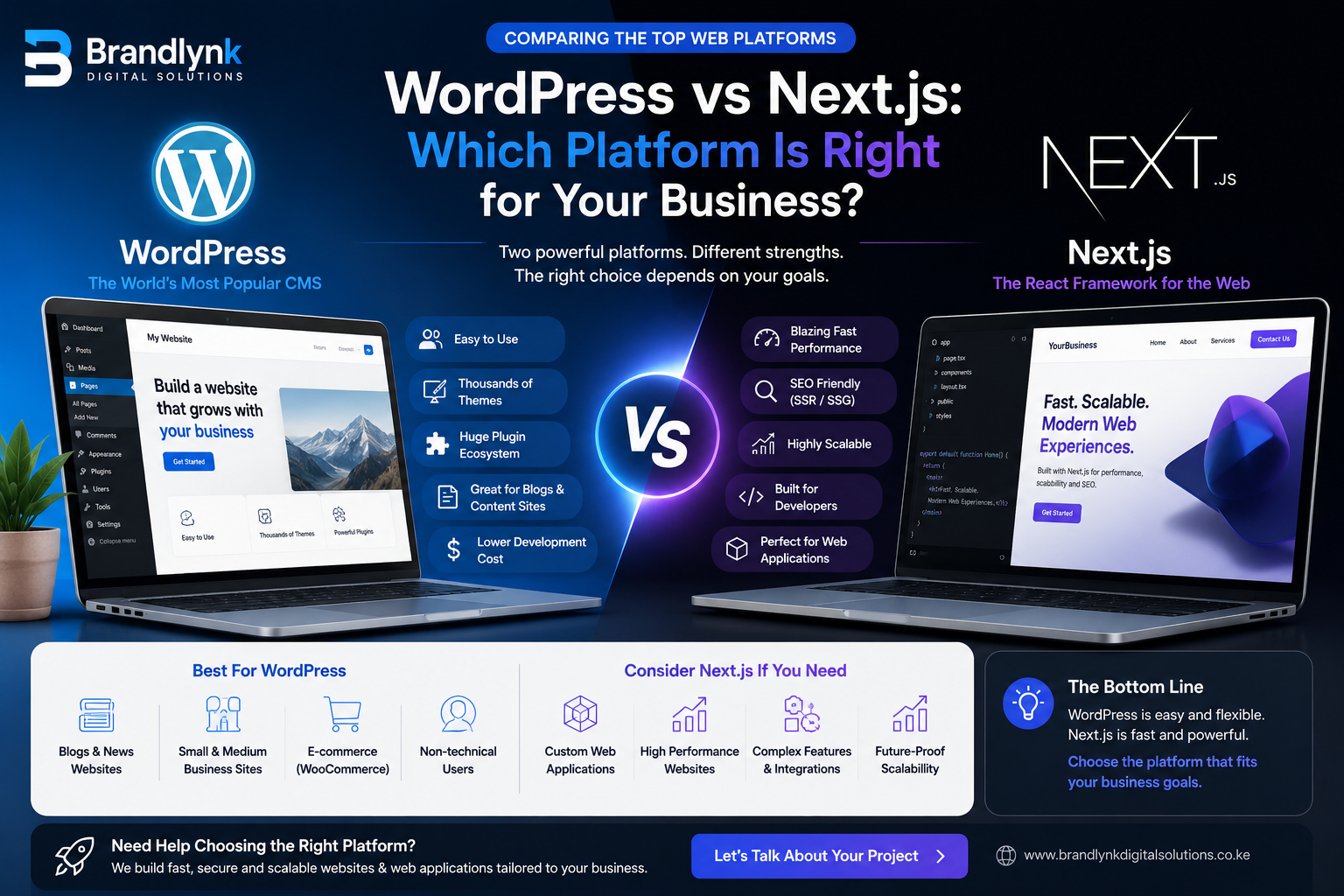
WordPress vs Next.js: Which Platform Is Right for Your Business?
WordPress and Next.js solve website problems in fundamentally different ways. Here's an honest, data-backed comparison of speed, security, cost, and flexibility — and a framework for choosing the right one for your business.
"Should we build on WordPress or Next.js?" is one of the most common questions we get from business owners planning a new website or a redesign — and it's a fair one. Both platforms can power a professional website. They just get there through almost opposite approaches, and that difference has real consequences for your speed, security, running costs, and how easily your team can make changes later.
This guide compares both platforms on the criteria that actually affect a business, not just developer preference.
[!TIP] Not sure you need either yet?
If you're still working out what a website should cost or include before picking a platform, start with our website development cost guide.
WordPress is an open-source content management system that now powers somewhere around 40–43% of all websites globally, and roughly 59–62% of all websites built on any CMS — a lead so large that its nearest competitor, Shopify, sits in the single digits by comparison. That scale isn't an accident: WordPress lets a business owner install a theme, add plugins for the features they need, and manage content through a familiar dashboard without writing code.
That accessibility is WordPress's core strength — and, as the numbers below show, also the source of most of its problems.
What is Next.js?
Next.js is an open-source React framework used to build web applications and websites from the ground up, with rendering, routing, and performance optimization handled by the framework itself rather than a plugin ecosystem. It's the framework behind large-scale production sites at companies including Netflix, Nike, TikTok, and Uber, and it has become the default choice for teams building on React who need production-grade performance without assembling that tooling by hand.
Unlike WordPress, there's no built-in content editor — Next.js is a development framework, not a finished product. A business using it typically pairs it with a headless CMS (or a custom admin panel) so non-technical staff can still update content without touching code.
Performance and speed
This is where the two platforms diverge most sharply, and where the business impact is most direct: slower pages lose visitors, and Google factors page speed into search rankings.
WordPress performance depends almost entirely on hosting quality and how disciplined the site is about plugins — the average production WordPress site runs 30 or more plugins, and each one adds its own scripts, database queries, and potential slowdown. Industry measurements commonly put average WordPress load times in the 3+ second range on typical hosting, and only around a third of WordPress sites pass Google's Core Web Vitals on mobile.
Next.js is built to avoid that problem by default. Automatic code-splitting, image optimization, and static or server-side rendering mean a well-built Next.js site typically loads in well under a second without any manual tuning — because there's no plugin stack accumulating overhead in the first place.
[!TIP] Speed isn't just about hosting
A fast WordPress host can only do so much. Once a site is running 20–30 plugins, the bottleneck usually moves from the server to the software stack itself.
Security
Security is the area where the platforms' architecture matters most, and it's worth being specific rather than vague here.
WordPress core software is genuinely well maintained — security researchers consistently find only a handful of vulnerabilities in core each year. The risk sits almost entirely in the plugin ecosystem: independent security research (Patchstack's 2026 State of WordPress Security report) recorded over 11,000 new vulnerabilities across the WordPress ecosystem in a single year, with roughly 9 in 10 of them originating in plugins, not core. Close to half had no available patch at the time they were publicly disclosed, and the typical gap between a vulnerability going public and the first real attack was measured in hours, not days.
Next.js doesn't eliminate security risk — no framework does — but it has a fundamentally smaller attack surface. There's no equivalent 60,000-plugin marketplace of third-party code running with full site privileges; the dependencies a team chooses to install are usually far fewer and more deliberately vetted.
[!TIP] The practical takeaway
If you go with WordPress, plugin count is a better predictor of risk than the WordPress brand itself. Fewer, well-maintained plugins plus a proper security layer meaningfully changes your exposure.
SEO capabilities
Both platforms can rank well — SEO success depends more on content, structure, and technical execution than the platform itself. But there are real differences in what each makes easy by default.
WordPress has a mature SEO plugin ecosystem (Yoast, Rank Math, and similar tools) that makes metadata, sitemaps, and structured data straightforward to manage without a developer. The tradeoff is that SEO plugins are themselves part of the plugin-load problem above, and page speed — a confirmed ranking factor — is harder to keep in check as a WordPress site grows.
Next.js has strong technical SEO built into the framework itself: server-side rendering means search engines get fully rendered HTML on the first request, and the performance advantages described above translate directly into better Core Web Vitals scores. The tradeoff is that structured data, metadata, and sitemaps need to be implemented deliberately by a developer rather than configured through a plugin UI.
Content management and ease of use
This is usually the deciding factor for smaller businesses, and it's where WordPress has a genuine, durable advantage.
WordPress's editing experience is built for non-technical users — a business owner or marketing assistant can log in, edit a page, publish a blog post, or swap an image without any developer involvement. That's a meaningful advantage for a business that publishes content frequently and doesn't have in-house technical staff.
Next.js has no built-in equivalent. Content updates either require a developer, or the business needs to pair Next.js with a headless CMS (such as Sanity, Contentful, or a custom admin panel) — which restores non-technical editing but adds a second system to set up and maintain.
Customization and scalability
For a standard brochure site, WordPress's theme-and-plugin model gets you there quickly. But the moment a business needs something genuinely custom — a workflow that doesn't match any existing plugin, tight integration with M-Pesa or a CRM, a customer portal with real business logic — WordPress starts working against you rather than for you. Every custom feature either bolts on another plugin (more attack surface, more speed cost) or requires custom PHP development that fights the platform's existing structure.
Next.js has no such ceiling. Because it's a development framework rather than a pre-built product, custom business logic, integrations, and complex user flows are what it's designed for — the same reason it's the framework of choice behind large-scale CRMs, booking platforms, and e-commerce systems that have outgrown a template-based build.
E-commerce considerations
For product-based businesses, this comparison plays out slightly differently.
WordPress paired with WooCommerce is a genuinely strong, mature e-commerce option — a large plugin ecosystem covers payment gateways, shipping, and inventory, including M-Pesa integrations common in the Kenyan market. For a straightforward catalogue-and-checkout store, it remains one of the fastest ways to launch.
Next.js e-commerce (paired with a headless commerce platform or custom-built checkout) tends to outperform WooCommerce on page speed and checkout conversion at scale, since store pages benefit from the same rendering and optimization advantages described above. The tradeoff is development time and cost — a custom Next.js store takes longer and costs more to build than installing WooCommerce, and only pays off once traffic or catalogue complexity reaches a point where speed and custom checkout flows meaningfully affect revenue.
Cost of ownership
Price should never be the only deciding factor.
The upfront-vs-ongoing cost tradeoff is the most misunderstood part of this decision.
WordPress is typically cheaper to launch — themes, plugins, and shared hosting keep initial costs low. The cost shows up later: ongoing plugin licensing, more frequent security patching, hosting upgrades as plugin bloat slows the site down, and the recurring risk (and cost) of a compromised site.
Next.js typically costs more upfront — there's more custom development and no theme marketplace to shortcut the build. That cost is offset over time by lower maintenance overhead: fewer moving parts to patch, less hosting pressure from an ever-growing plugin stack, and a codebase that scales without the workarounds a heavily customized WordPress site eventually needs.
When to choose WordPress
You publish content frequently and need non-technical staff to manage it directly
Your site is primarily informational — brochure site, blog, or standard e-commerce catalogue
You need to launch quickly on a limited initial budget
Your feature needs are well covered by existing, well-maintained plugins
You have (or can budget for) ongoing plugin and security maintenance
When to choose Next.js
Your website needs to do something no off-the-shelf plugin does well — a custom portal, booking system, or business workflow
Page speed and Core Web Vitals directly affect your revenue or ad spend efficiency
You're building a product, not just a brochure site — something that will keep evolving
Security and attack surface are a serious concern (financial, healthcare, or high-traffic platforms)
You're planning for scale from the outset, rather than retrofitting it later
Frequently asked questions
Is Next.js better than WordPress for SEO?
Neither platform guarantees better rankings — content quality and technical execution matter most. Next.js has a structural performance advantage that supports Core Web Vitals more easily by default, while WordPress makes on-page SEO configuration (metadata, sitemaps) more accessible to non-technical users through plugins.
Can I switch from WordPress to Next.js later?
Yes. It's common for a business to launch on WordPress, then migrate to Next.js once the site outgrows what plugins can reasonably handle — typically once custom features, traffic, or performance requirements start working against the platform rather than with it.
Is WordPress insecure?
WordPress core software is well maintained. The security risk comes almost entirely from third-party plugins, which is a manageable risk with a disciplined, minimal plugin approach and proper monitoring — not a reason to avoid the platform outright.
Which is cheaper for a small business in Kenya?
WordPress is usually cheaper to launch, which makes it a reasonable starting point for a small business with a limited budget and straightforward needs. Next.js costs more upfront but can be the cheaper option over several years for a business that expects to scale or add custom functionality.
Final thoughts
There's no universally "better" platform — only a better fit for what your business actually needs to do. A restaurant publishing a weekly menu update has very different requirements from a fintech startup building a customer portal, even if both call the result "a website."
The better question isn't "which platform is more popular" — it's:
"What does this website need to do for my business over the next five years, and which platform gets me there with the least friction?"
Talk to Brandlynk about your platform decision
Brandlynk Digital Solutions works with both WordPress and Next.js, and we'll recommend the platform that fits your business — not the one that's easiest for us to sell.
[!TIP] Not sure which fits your situation?
Get in touch for a free platform assessment — we'll look at your content needs, growth plans, and budget before recommending a direction.
Every engagement starts with understanding your business goals before a single screen is designed, so the final build reflects a system built for growth.
Transparent, itemized quotes
Custom design, not templates
Technical SEO from day one
Mobile-first, performance-tested builds
M-Pesa, card, bank, and electronic payment integrations